AllAIContent

Scripts, articles and posts in your own voice, from research it reads in full. Every draft shows what it used, and you approve every piece.

AllAI Content is the writing product of the AllAI Suite. It reads every source in full, takes your view on the topic, and has named AI agents write YouTube scripts, blog articles, LinkedIn and X posts and courses in your voice. Every draft shows the research it uses, and a person approves every piece.

The intelligence behind AllAI Content

AllAI Context

The unified context for your org. It holds your company’s knowledge in one place, so AllAI Content answers and decides with the full picture.

About AllAI Context

14 AI agents do the work

  • IrisSource notes
  • ScoutResearch check
  • AtlasOutline plan
  • HawkOutline review
  • SparkPost ideas
  • ArcFlow check
  • VeraCheck and fix
  • EchoVoice polish
  • VistaVisual plan
  • BuilderVisual build
  • AriaVoice keeper
  • MentorLearning from edits
  • LensReport insights
  • RadarCompetitor watch
See what each agent does

AllAI Content, at a glance

New content
Library
Content reviewer

Everything AllAI Content does

Research read in full

Every source is read in full and noted once. Research used shows what each draft draws on.

My Voice

Learns how you sound only from your own words, never from AI drafts.

Content reviewer

Shows how close a draft sounds to you and marks what to change.

Humanize

Puts any text, written anywhere, back in your voice.

Meet the agents inside AllAI Content

Iris

Source notes

Reads each source in full and notes its stories, quotes, debates and facts once.

Works withHN

Scout

Research check

Checks there is enough research before any writing, with at most one extra search.

Atlas

Outline plan

Plans the outline from all the research, with a focus for each point.

Hawk

Outline review

Reviews and fixes the outline before you see it.

Spark

Post ideas

Suggests ideas for short posts, each saying something different.

Works withL

Arc

Flow check

Checks that a long draft flows from one part to the next.

Vera

Check and fix

Checks the draft for AI-sounding phrases and claims nothing backs, and fixes only what fails.

Echo

Voice polish

Gives the draft a final polish in the author's own voice.

Vista

Visual plan

Plans diagrams, charts and tables from what the draft says.

Builder

Visual build

Builds each visual and checks every number against the research.

Aria

Voice keeper

Keeps My Voice current from the author's own words, never from AI drafts.

Works with

Mentor

Learning from edits

Turns edits, comments and decisions into suggestions for the right agent.

Lens

Report insights

Explains what the Reports numbers mean, and answers questions about them.

Radar

Competitor watch

Re-checks your competitors' own pages every week.

One connected workflow

1

Topic

Type one, ask for suggestions or start from RIAS.

2

Research

Every source read in full and noted once.

3

Your take

Say or type what you think, or let it be inferred.

4

Write

An outline or ideas first, then drafts in your voice.

5

Approve

You approve, then copy or download.

From a topic to an approved piece

An automatic walkthrough of AllAI Content, step by step.
AllAI Content, step by step
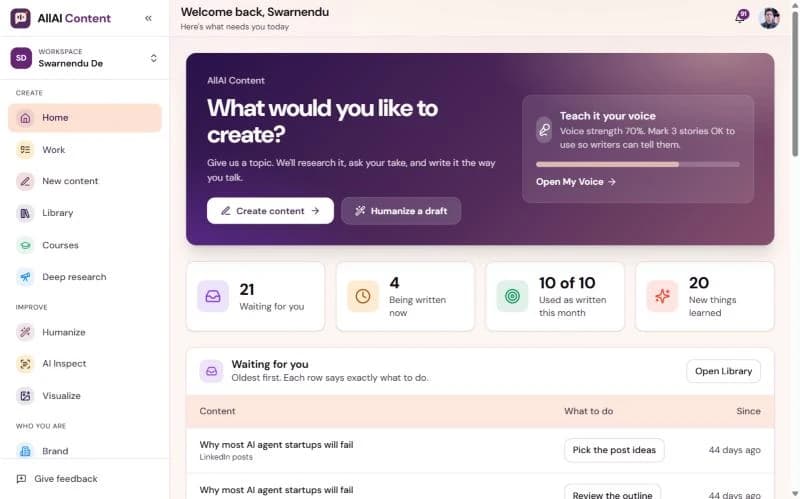
The AllAI Content home screen: what would you like to create, with the pieces waiting for you and how many were used as written
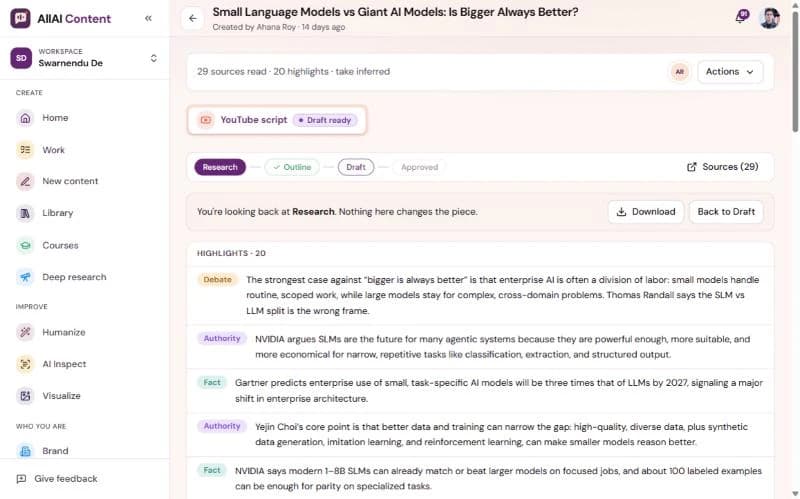
The research behind a YouTube script: 29 sources read, with highlights tagged Debate, Authority and Fact
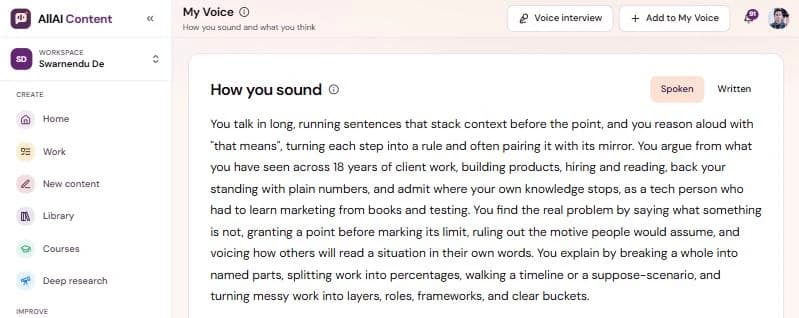
My Voice: how you sound, spoken and written, summed up from the author's own words
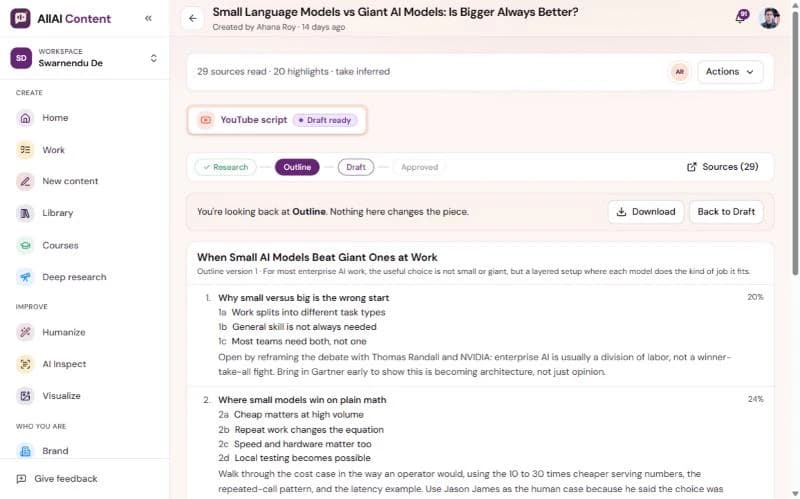
An outline for a YouTube script: numbered points and sub-points, each with the share of the piece it gets
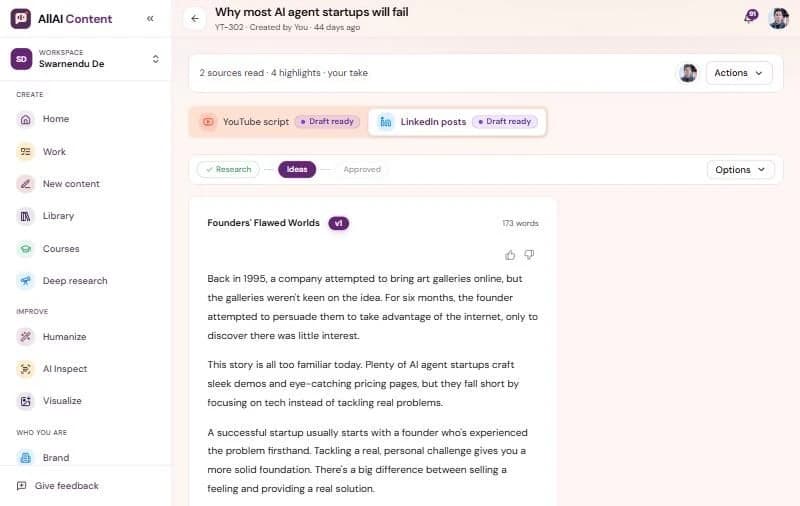
LinkedIn posts written from the same research as a YouTube script, at the Ideas stage on the way to Approved
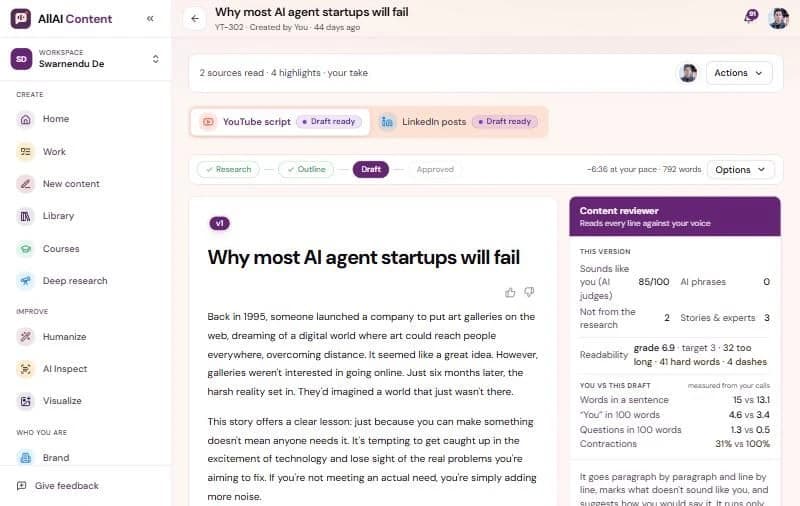
A YouTube script draft beside the Content reviewer: Sounds like you 85 of 100, no AI phrases, the reading grade, and you against this draft
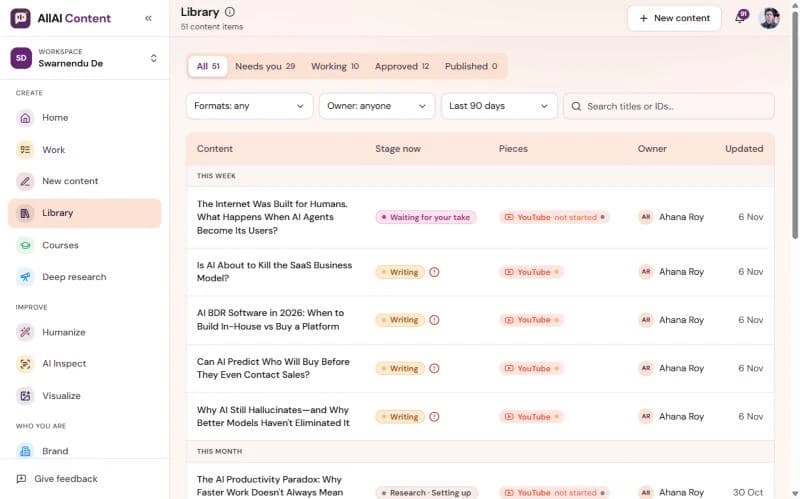
The AllAI Content Library: every content item with its stage, its pieces by format, its owner and when it was updated
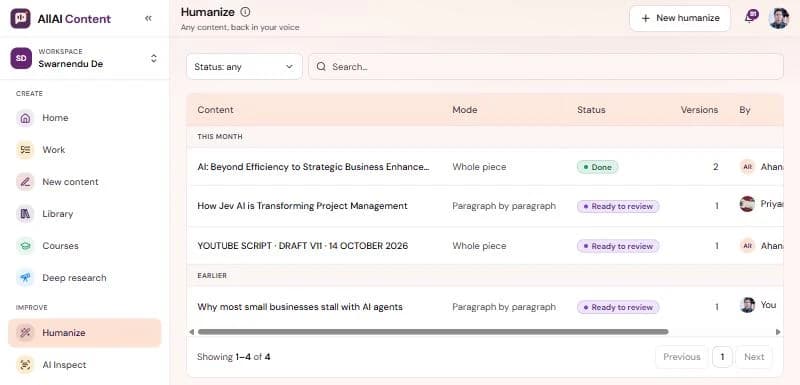
Humanize: drafts written elsewhere, rewritten in the workspace's voice paragraph by paragraph or as a whole piece

Your teamAllAI Content

Type it, ask for suggestions or start from RIAS.

Works with your stack

Anthropic
Gmail
LLinkedIn
X
YouTube
GitHub
Reddit
HNHacker News

Native connectors

Single sign-on

See all integrations

Starts with the full picture

Reads

  • My Voice
  • Stories OK to use
  • Brand and house rules

Writes back

  • Edits and approvals
  • Lessons from your edits
How AllAI Context works

Frequently asked questions

Does it post to LinkedIn or my blog?

No. Content writes and you approve. Copy or download any piece and post it where you like.

Which formats?

YouTube script, Blog article, LinkedIn posts, X posts or threads, Short videos, and courses.

Does AI make things up?

Content writes from sources it read in full. Research used shows what each draft uses, and Not from the research lists any number, name or quote nothing backs. A person approves every piece.

How does it learn my voice?

From your voice interview, recordings, examples and posts, and, if you connect them, your meetings and sent email. Never from AI drafts.

Who sees my emails?

Only the Authority, the person whose voice it is. Everyone else gets only what was learned from them.

Does it work without RIAS?

Yes, with your own links and files. Find sources for me, Browse RIAS, Deep research and course research use RIAS.

Can I manage more than one voice?

Yes. Each voice is its own workspace, and one login switches between them.

Which AI models does it use?

Claude and OpenAI models through the AllAI LLM gateway. Admins choose per format and per agent.

AllAI Content gives every expert scripts, articles and posts in their own voice, built on one unified context.