

AllAICounsel
Contract review on your terms. Counsel checks every contract against your own playbook, flags what deviates, and drafts the redline from your approved language.
AllAI Counsel drafts, reviews, and manages contracts, and runs legal research and eDiscovery, so legal work moves at the speed of the business.
The intelligence behind AllAI Counsel
AllAI Context
The unified context for your org. It holds your company’s knowledge in one place, so AllAI Counsel answers and decides with the full picture.
About AllAI ContextAI built in
- Clause extraction
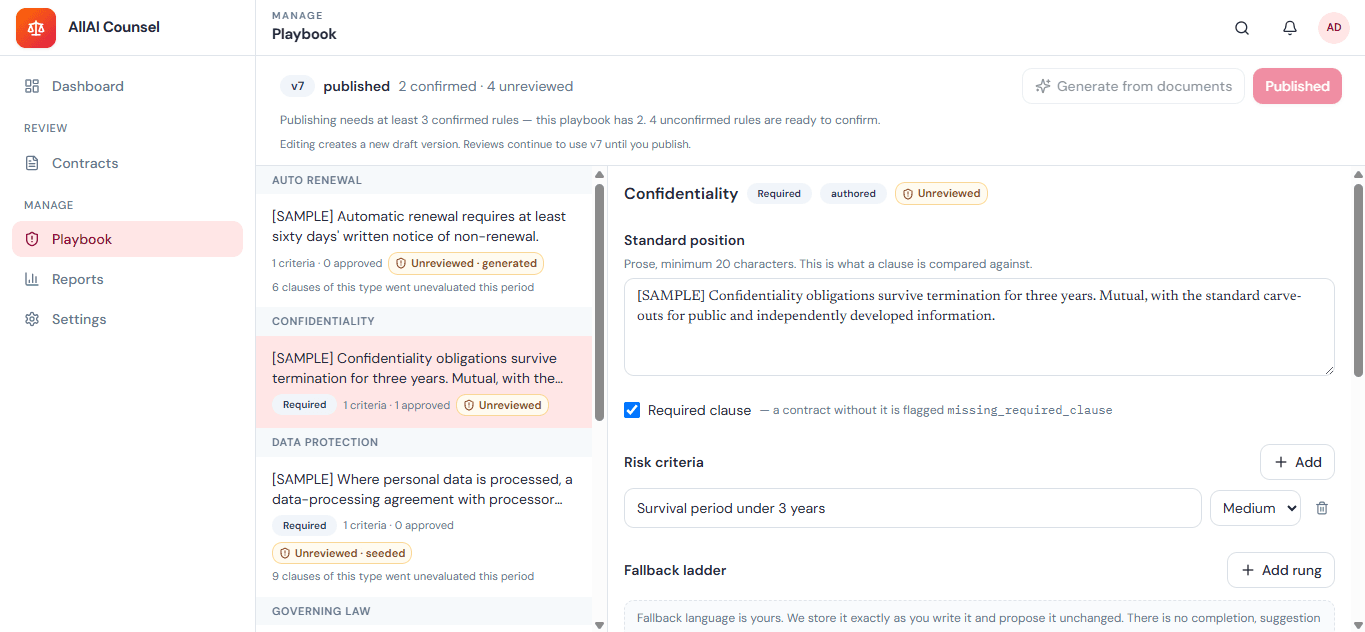
- Playbook review
- Playbook generation
- Redlines
See AllAI Counsel at work
The whole contract lifecycle, in one place
Turn on one capability or run the whole lifecycle together. AllAI Counsel is a full review-to-obligations engine, not a drafting add-in bolted onto Word. It is grounded in your own standards from the first clause.
AI Contract Management, Review and Drafting
Draft according to your standards, review against your playbook, and stay ahead of every obligation and renewal.
ExploreAI Legal Research & eDiscovery
Research you can cite with confidence, and document review at scale, with every answer verifiable and every call attorney-reviewed.
ExploreEverything AllAI Counsel handles for you
On-Standard Drafting
Generates agreements directly from your own templates and approved clause library rather than relying on a generic legal model to guess your preferred positions. Every draft reflects what your legal team has already determined to be acceptable, reducing the need to revise or remove unsuitable clauses later.
Playbook Review
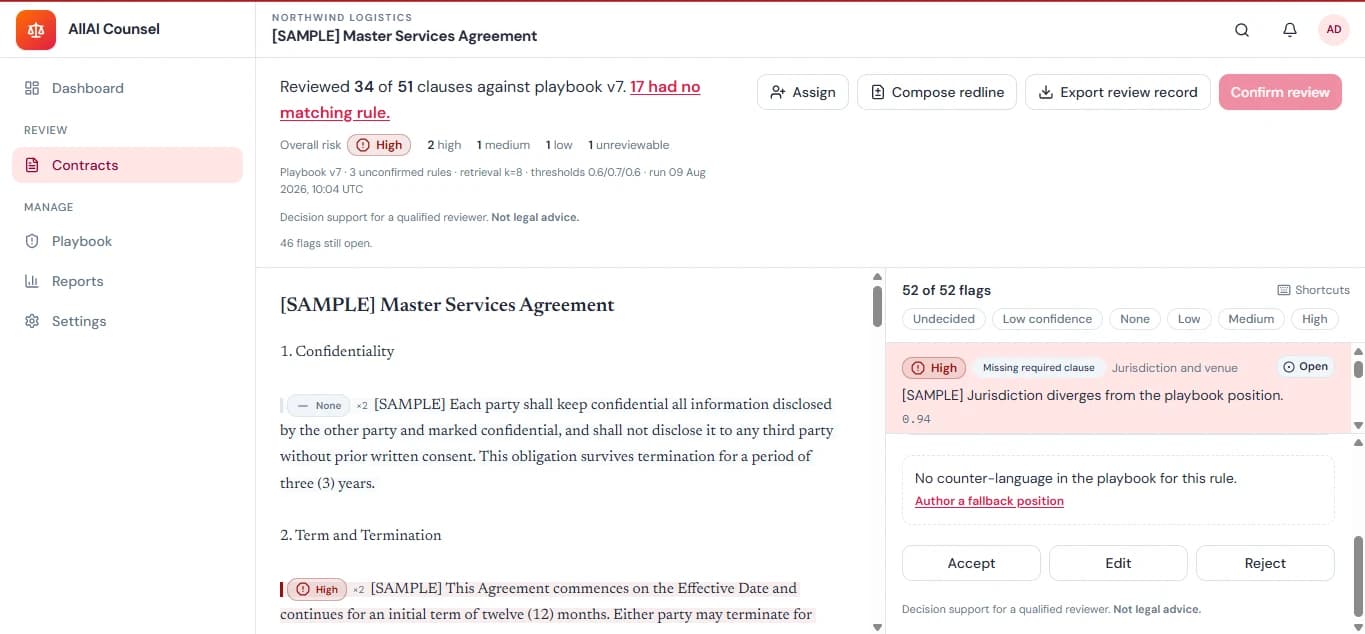
Reviews incoming contracts line by line against your organisation’s standards. It flags risky terms and playbook deviations directly within the contract and suggests approved fallback language. Your lawyer can accept, edit, or override every flag. Nothing is finalised without a human decision.
Obligation and Renewal Tracking
Tracks every obligation, approval, and renewal date from the moment a contract is signed. Teams receive enough notice to assess and act on upcoming renewals rather than discovering them at the last minute. Important contract dates no longer need to be maintained across disconnected spreadsheets.
Cited Legal Research
Returns relevant precedent and grounded legal research answers within seconds. Every answer includes citations that your team can review and verify before relying on the information. The feature is designed to reduce research time, not replace professional legal judgment.


One connected workflow
Draft
Generate on-standard agreements from your templates and clause library.
Review
Flag risky terms and playbook deviations for your lawyer's decision.
Negotiate
Suggest fallback language and track redlines. Your team stays in control.
Approve
Route for human sign-off with a full audit trail.
Manage
Track obligations and renewals on an ongoing basis.
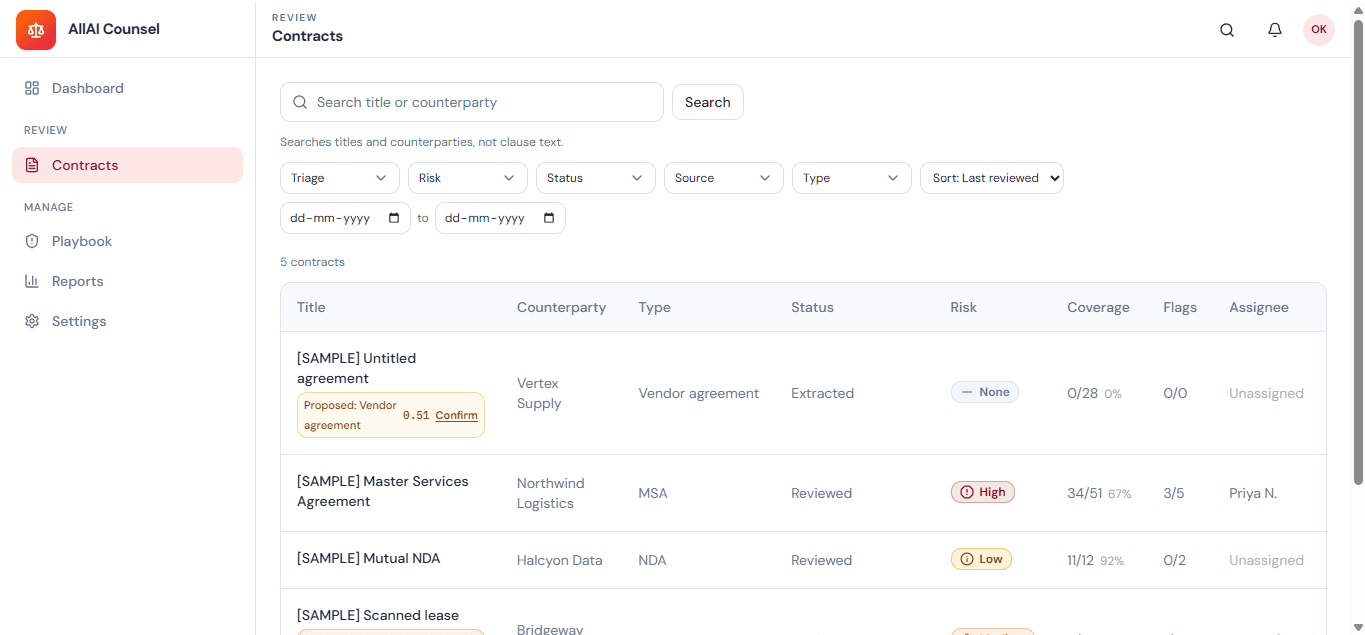
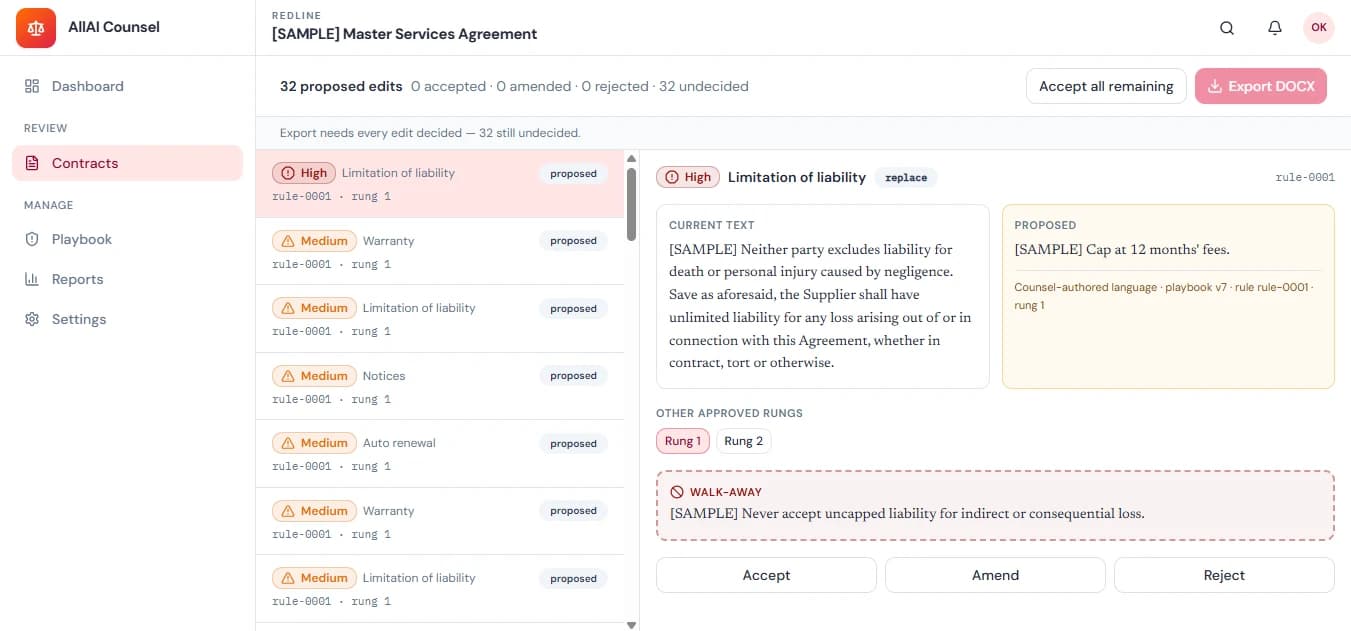
From a new contract to a clean redline
An automatic walkthrough of AllAI Counsel, step by step.
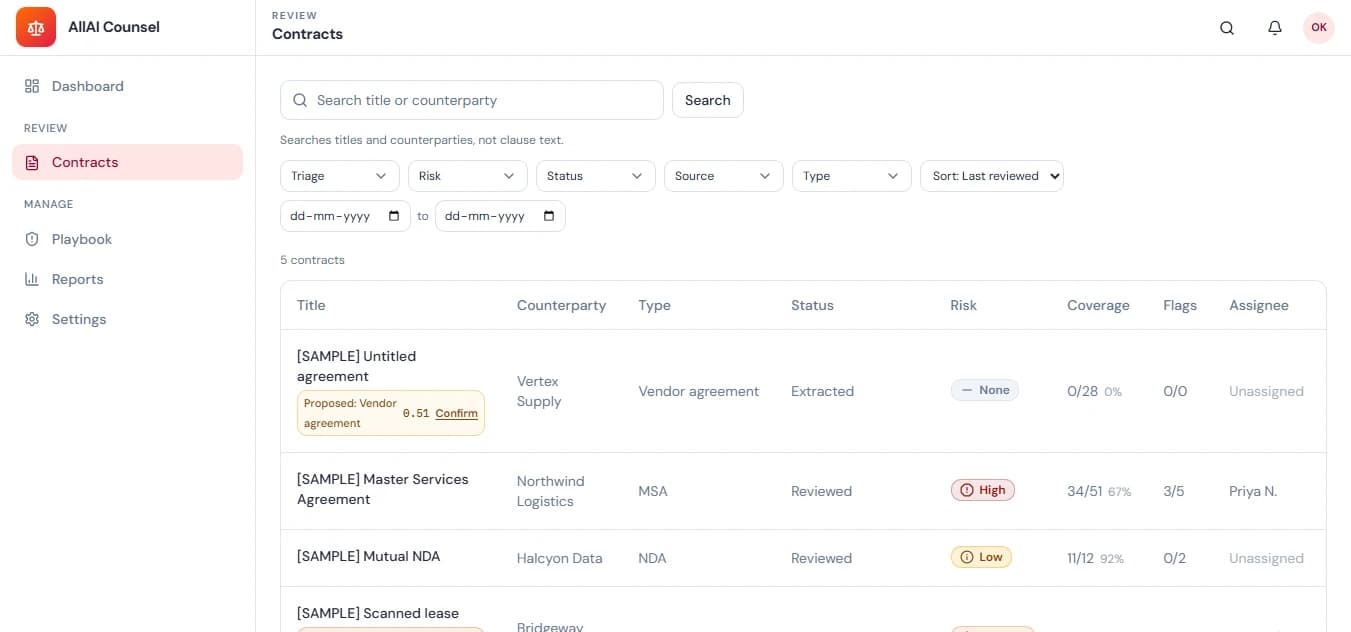
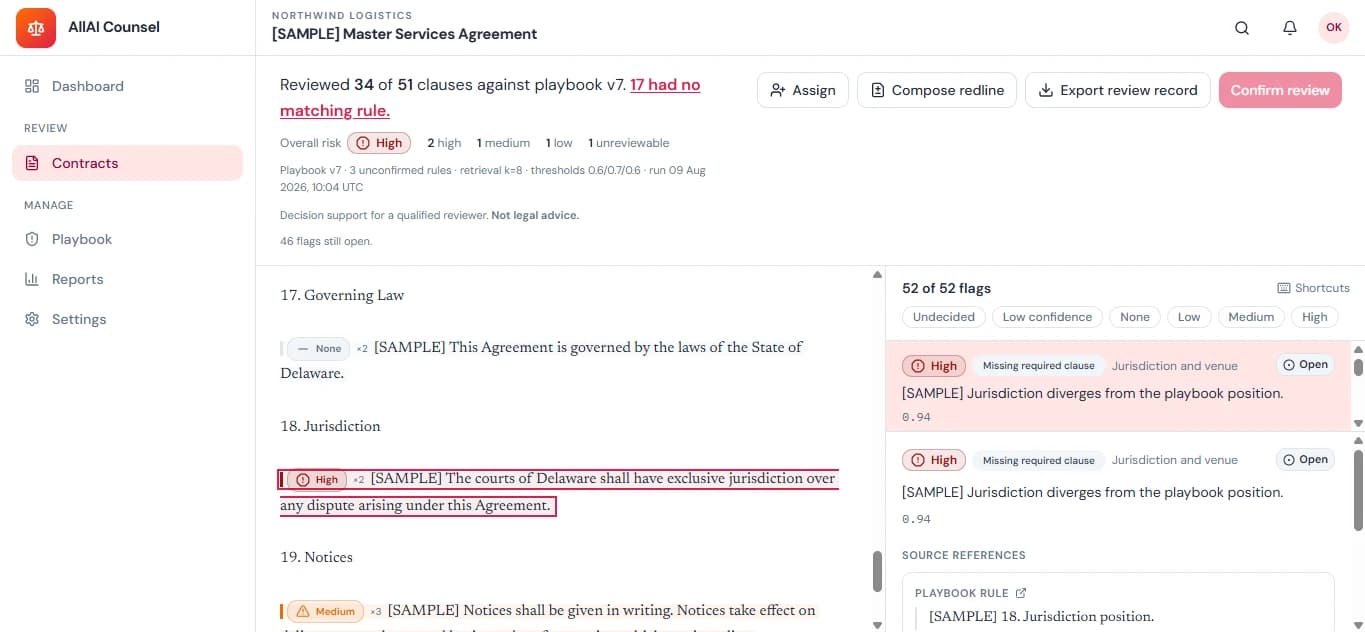
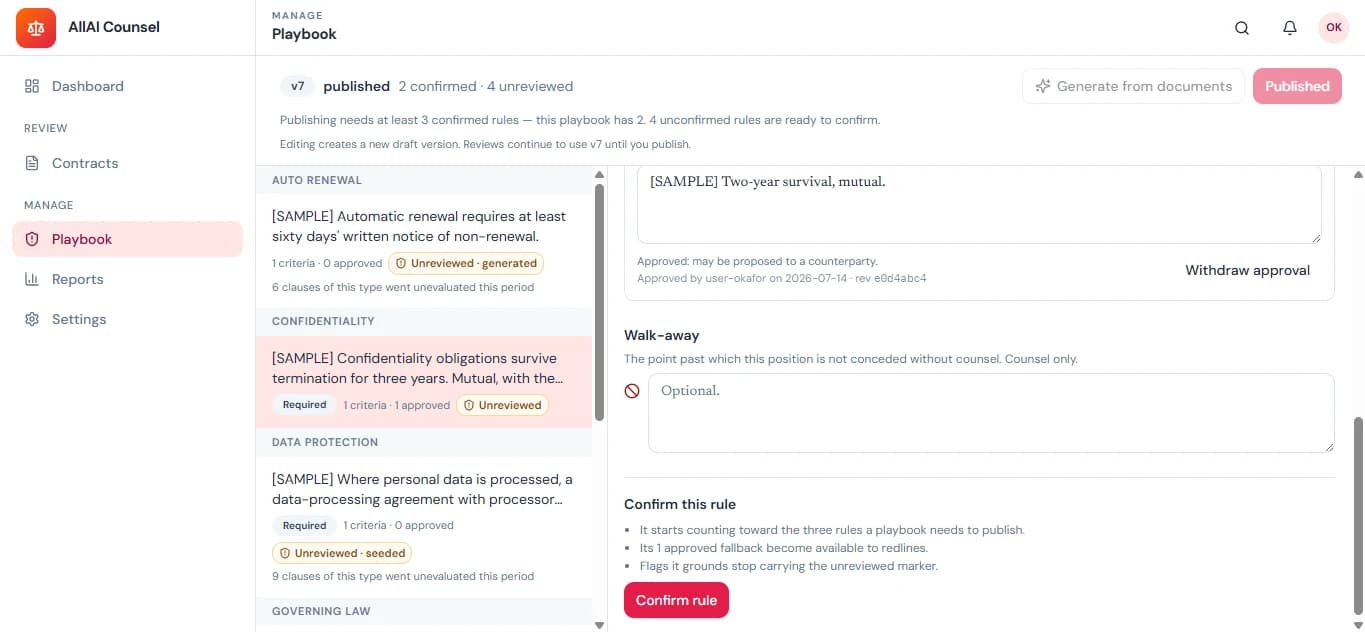
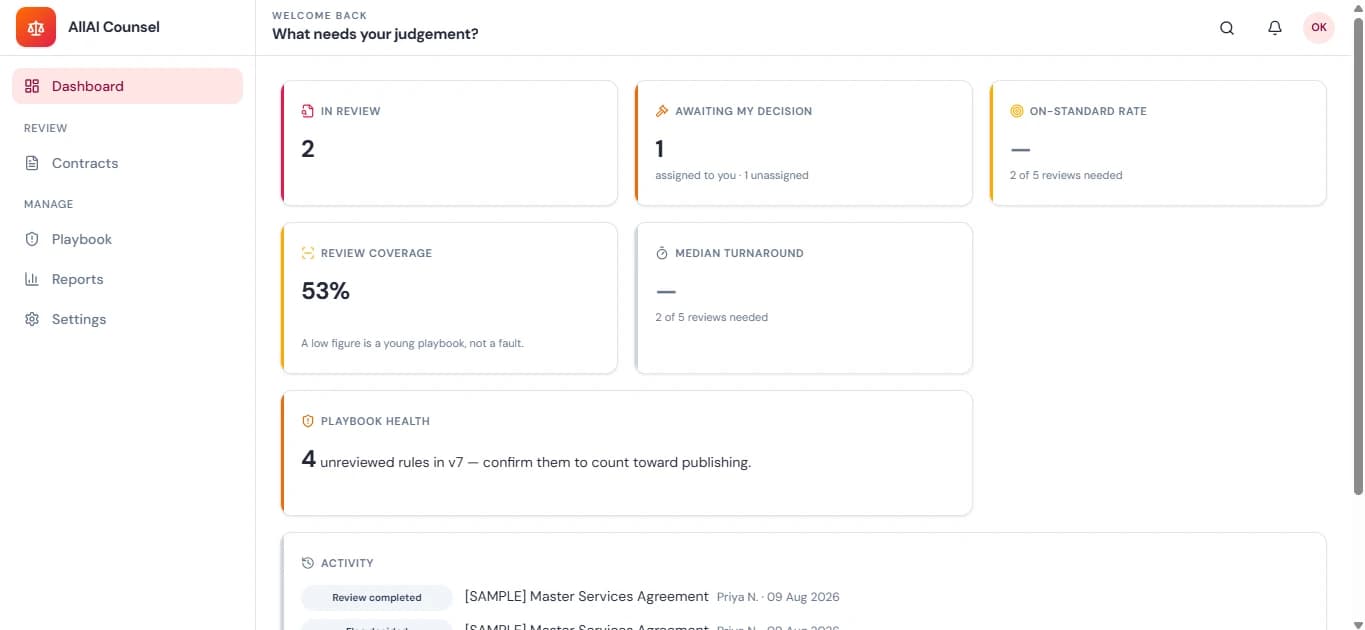
Your teamAllAI Counsel
SharePoint, Google Drive or iManage, read where the contracts live.

The contract queue, cleared
A lean legal team used AllAI Counsel to draft and review on standard, cutting turnaround dramatically.
Works with your stack
Native connectors
API and webhooks
Single sign-on
Starts with the full picture
Reads
- Your playbook
- Fallback language
Writes back
- Accepted and rejected positions
See AllAI Counsel in action



Frequently asked questions
Is a lawyer still in control?
Always. AllAI drafts, reviews, and suggests. Your team reviews and approves. It is decision support that speeds legal work, but it does not replace judgment and is not legal advice.
How is this different from a Word add-in like Spellbook or from Harvey?
Those assist a lawyer keystroke by keystroke inside a document. AllAI Counsel runs the whole lifecycle as one engine for in-house and ops teams: review, risk-flagging, drafting, obligations, and renewals. It is grounded in your own playbook.
Can it use our templates and playbook?
Yes. Drafting and review are anchored to your own templates and approved clause library, so it reflects your positions rather than guessing at generic ones.
Does it manage the full contract lifecycle?
Yes. It handles drafting, review, approval, and ongoing obligations and renewals in one CLM.
Are research results reliable?
Answers come with citations so your team can verify sources before relying on them. It is decision support, never a substitute for legal judgment.
What about confidentiality and privilege?
Data is encrypted in transit and at rest, scoped per workspace, with attorney-client privilege boundaries and data-residency controls. All AI calls are routed through a controlled gateway, with no direct vendor exposure.
Which tools does it integrate with?
DocuSign, Salesforce, SharePoint, Slack, Google Drive, and Ironclad, or you can run it as your CLM.